Watch a real mission
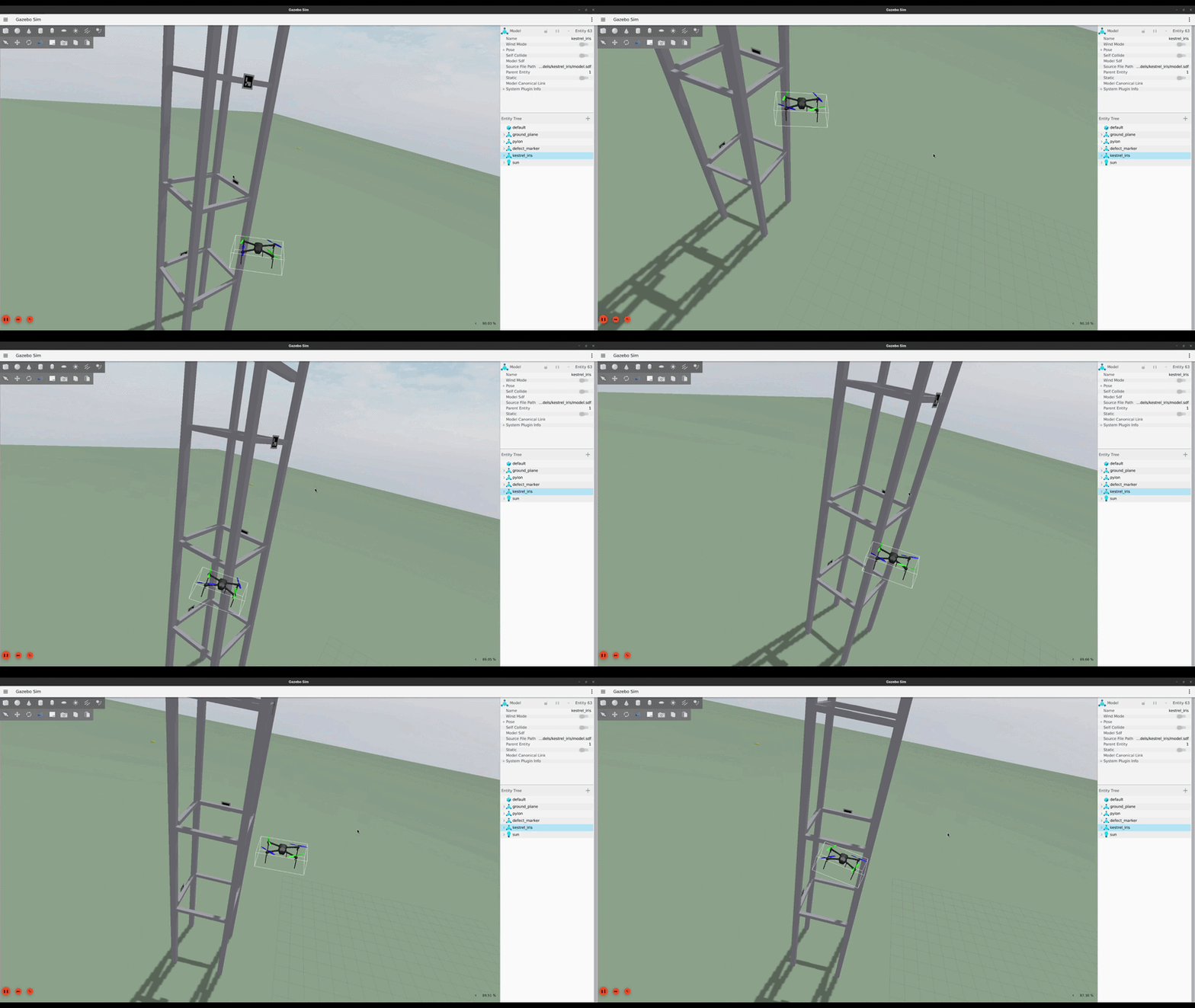
This viewer plays back a real recorded flight. It is not an animation.
The flight path and mission states come from
scripts/record_replay.py, run alongside a live simulated
mission.
Both recordings use the shipped YOLO detector at its production confidence threshold. Live in-sim detection has a known limitation, a domain gap between real training photos and simulated textures. Neither recording found a confirmed defect. This is the honest, measured behavior of the shipped system, not a demo shortcut. See a sample report with confirmed defects from an earlier ArUco run and the benchmarks table below for real detection numbers.
How it works
These steps happen during one mission.
- The mission planner builds a survey path around the structure.
- The flight commander flies the copter to each waypoint.
- The defect detector reads the camera feed during the whole flight.
- On a detection, the mission director pauses the survey and flies a closer orbit around the defect.
- The system stores each photo and each detection.
- After landing, the report writer writes a report in markdown format.
Benchmarks
These numbers come from scripts/score_mission.py, run
against real mission data. Detection rate is the count of defects
found over the count of ground truth markers. Localization error is
the distance from each detected defect to its nearest ground truth
marker.
| Site | Detector | Detection rate | Mean error (m) | Max error (m) | Duration (s) |
|---|---|---|---|---|---|
| pylon | aruco | 4/4 | 2.04 | 2.15 | 349.1 |
| pylon | yolo | 4/4 | 3.21 | 6.72 | 246.2 |
| turbine | aruco | 3/4 | 1.93 | 2.28 | 258.5 |
The yolo row counts raw detections against the ground
truth count. This number does not confirm that each detection
matches a real marker. Only one of the four detections in that row
was a true marker, 0.37 m from ground truth. See
the full benchmarks file
for the complete explanation.
Detector model
The corrosion detector is a YOLOv8n model, trained on the public
corrosion-bi3q3
data set (CC BY 4.0) and deployed with ONNX Runtime. The script
scripts/eval_model.py scores the shipped model against the
held out test split through the same inference path that the flight
stack uses. The test split played no part in training or in model
selection.
| Measurement | Value |
|---|---|
| Test images | 304 |
| Ground truth boxes | 1282 |
| mAP50 | 0.621 |
| Precision at the production threshold (0.5) | 0.966 |
| Recall at the production threshold (0.5) | 0.530 |
The test score matches the validation score (0.617), so the model did not overfit to the validation split, and the ONNX export gives the same quality as the training checkpoint. See TRAINING.md for the training and evaluation steps.
Onboard intelligence
The copter runs several AI systems onboard. Every model exports to ONNX and runs with ONNX Runtime on the CPU, the same target a small flight computer uses. Every system is advisory. The safety guard node keeps final control.
| System | Model | Input | What it does |
|---|---|---|---|
| Health monitor | PyTorch autoencoder | Propulsion telemetry | Warns of a developing motor fault before it fails |
| Obstacle perception | Point cloud analysis | Lidar | Warns on a close approach to structure, placed in the world frame |
| Depth navigation | MiDaS monocular depth | Camera | Recommends a safer heading when structure is close ahead |
| Corrosion detector | YOLOv8n | Camera | Finds defects on the structure |
The health monitor is a small autoencoder trained on normal flight telemetry. It fires on a sustained anomaly, not on a single noisy reading, and it fires on an injected motor fault. The model learns normal from data, so it must be trained on telemetry from the same conditions it runs in. See the health benchmarks.
The models are measured for the edge. INT8 quantization shrinks the detector from 11.7 MB to 3.2 MB, and the mAP50 changes only from 0.621 to 0.613. See the edge benchmarks.
Talk to it
The flight stack also works as an MCP server. An LLM client can fly the simulation through this server. The client can ask for telemetry data. The client can send a takeoff command. The client can send the copter to a position. The client can send a land command. Every command goes through the same guarded services that the autonomous mission uses. The safety guard node keeps final control at all times.
See the README for setup steps and the full tool list.
Quick start
git clone https://github.com/ajnieves1/Kestrel.git
docker compose -f docker/compose.yaml build dev
docker compose -f docker/compose.yaml run --rm dev ros2 launch kestrel mission.launch.py headless:=true